This is a demo store. No orders will be fulfilled.

Keyboards & Mice

The keyboard is the main input peripheral used by all computers. The keyboard allows for user input and interaction with the computer. Much like many typewriters the keyboard has all the letters of the alphabet, numbers 0 - 9 and additional special operational keys, e.g. for adjusting the volume or going to your inbox directly. There are three different connection types: - USB is the most modern. You can recognize it by the rectangular connector. - PS/2 connectors are round. This type of connection is fairly commonly used by PC's. - Bluetooth is another modern (wireless) connection method.
Shop By
-
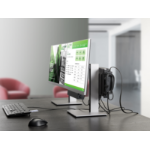
HP Business Slim Smartcard Keyboard
Manufacturer:HPSKU:Z9H48AAEAN:0190780958650- Pair your PC with a sleek, restyled, reduced-size keyboard that packs a familiar layout, function keys, and number pad into a space-saving design. Updated key light indicators alert you when Caps lock, Num lock, and Scroll are on or off.
- Get a smart card reader that’s conveniently located in line of sight at the top of the keyboard to help you remember to take your card out. Compatibility with Class A, B, and C smart cards helps prevent hacking and firmware changes in the keyboard.
- Keep your work environment quiet with lubricated keys, and breathe easy when minor spills happen with the built-in spill drain that makes the keyboard easy to clean.[1]
- Easily connect the keyboard to any USB port on your PC. The included 6 ft (1.8 m) USB cable gives you plenty of room to move the keyboard around your workspace.
- Enjoy the reassurance of a one-year limited warranty.
Business Slim Smartcard Keyboard