This is a demo store. No orders will be fulfilled.

Mounting Kits

Shop By
-
HP B200 PC Mounting Bracket
Manufacturer:HPSKU:762T5AAEAN:0197029374738- Give yourself more room to work with the tool-less HP B200 PC Mounting Bracket. It's as simple as attaching the bracket to your monitor stand's base and inserting four thumb-screws.
- Out of the way doesn't mean out of reach with this optimized bracket. Easily slide in your mini PC[1] and connecting devices like a mouse and keyboard is a breeze when the ports are right below your monitor stand.
- Since the bracket is attached at the stand base, you can adjust your monitor's tilt freely, to find your perfect, comfortable view.
B200 PC Mounting Bracket -
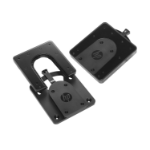
HP Quick Release Bracket 2
Manufacturer:HPSKU:6KD15AAEAN:0193808434716- Storefronts/kiosks: Mount flat panel monitors for easy viewing and add touchscreens for interactivity.
- Trade shows: Securely mount LCD TVs or monitors in common areas and quickly remove them for safekeeping at the end of the day.
- Front office environments: Minimize desk space requirements with wall or swing-arm mounting of monitors in reception areas.
- Training labs: Mount a monitor directly on a 100 mm VESA-compatible PC or HP Compaq t5720 Thin Client for all-in-one convenience.
- Medical/institutional settings: Securely mount monitors in nursing stations and public areas.
Quick Release Bracket 2 -
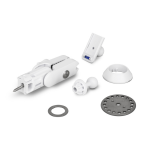
Ubiquiti QUICK MOUNT
Manufacturer:UbiquitiSKU:QUICK-MOUNTEAN:0810010070449- No tools required
- Quick and easy installation
- Supports NanoStation, NanoStation Loco, and NanoBeam devices
- Flexible, easy alignment
Toolless Quick-Mounts for Ubiquiti CPE Products -
HP Desktop Mini v4+ VESA Sleeve
Manufacturer:HPSKU:99T54AAEAN:0197961148213- Enjoy easy access to all of your ports with a Sleeve and cutouts designed exclusively for your HP Desktop Mini PC.
- Use this Sleeve with the HP Desktop Mini by itself, or with the PC and an optional storage Expansion Module, HP DM VESA Power Supply Holder Kit that simplifies cable management or HP DM VESA Quick Deploy Adhesive that supports tool-less mounting.[1,2]
- Rest easy with a one-year limited warranty.
Desktop Mini v4+ VESA Sleeve -
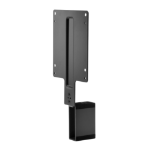
HP B300 PC Mounting Bracket
Manufacturer:HPSKU:2DW53AAEAN:0191628141197- Maximize your available work area with a single-footprint solution. Simply attach the bracket to the back of your display’s stand, and your PC platform to the bracket. It’s that easy! Reduce cable clutter with short USB A to B and DisplayPortTM cables.
- Retain the comfort features of your 2017 or 2018 HP Elite Display or HP Z Display. The bracket doesn’t interfere with the monitor’s height adjustment, tilt, swivel or pivot settings.
- Get the reassurance of a one-year limited warranty.
B300 PC Mounting Bracket -
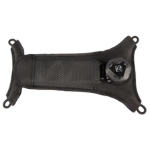
Zebra SG-NGWT-WSTPLN-01 mounting kit Black
Manufacturer:ZebraSKU:SG-NGWT-WSTPLN-01EAN:5706998723024Spare replacement strap for WT6000 Wrist Mount, (medium/large) -
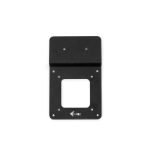
i-tec Docking station bracket, for monitors with VESA mount
Manufacturer:i-tecSKU:VESADOCK1EAN:8595611703140Docking station bracket, for monitors with VESA mount -
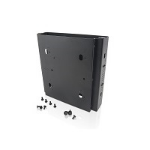
Lenovo ThinkCentre Tiny Sandwich Kit II Black
Manufacturer:LenovoSKU:4XH0N04098EAN:0191376177356ThinkCentre Tiny Sandwich Kit II -
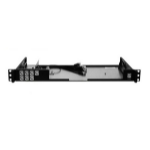
SonicWall TZ470/TZ370/TZ270 RACKMOUNT KIT Black
Manufacturer:SONICWALLSKU:02-SSC-3113EAN:0758479231134SonicWall TZ470/TZ370/TZ270 RACKMOUNT KIT, Black -
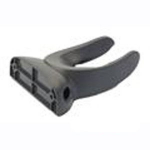
Motorola Wall Mount Holder Black
Manufacturer:ZebraSKU:11-66553-06REAN:5711045210471Wall Mount Holder